WillyWeather Location Search Page


Last Updated: 15 June 2025


- Added some additional help
- Tested CORS Proxy, tested fully working

Scroll down for more help on how to use the app


Use this page to search the WillyWeather database for locations. Find the location you are after using the information provided in the table, and enter your location's Location ID from the table below into your location banks in the Garmin/Connect IQ OzTides application, available here.

If you're having issues, this page relies on a third party service CORS proxy (out of my control) to format HTML headers, which may be down. If it is broken, please drop me an email or let me know through the contact developer link on the Garmin App page. If you are able to fix this issue permanently by providing a proxy, please let me know, it'd be much appreciated.

Into boating/fishing/4WD'ing? Check out my actual business - MLT Industries, we make bluetooth connected electronics and other accessories for 4WDs, caravans, boats and other recreational vehicles.

Cheers,
Matt, mthurtell[at]live.com.au
MLT Industries

Location ID Name Region State Postcode Time Zone Latitude Longitude Type ID

Setting Your locations

Garmin Search Page

Search Page:
Type your location in the box and hit Search.
Find the Location ID for your spot.
Connect IQ Setup

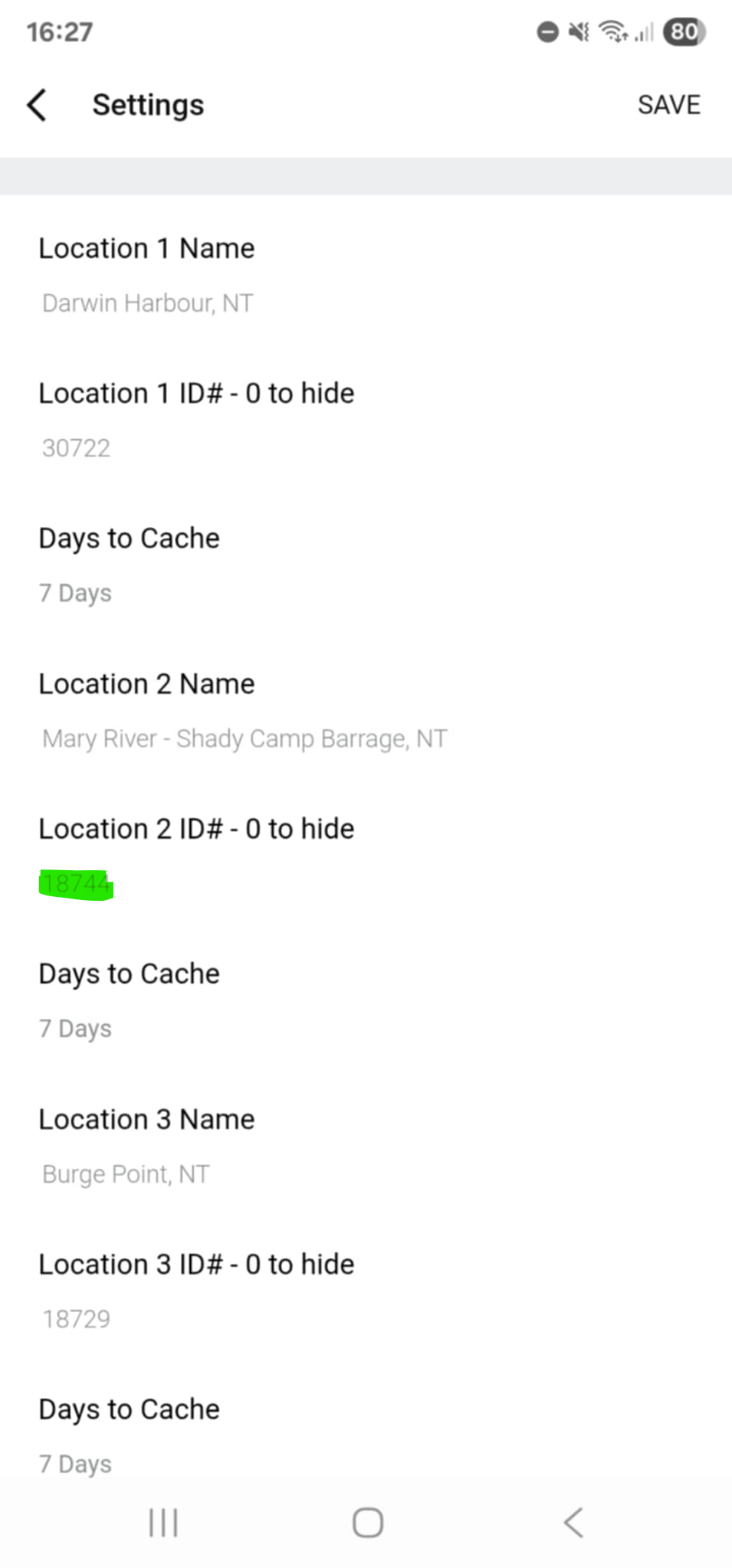
Connect IQ Setup:
Enter your Location ID into one of the Location ID fields in the app settings.
Then, go to the menu on your watch and select Refresh.
Using Your Watch

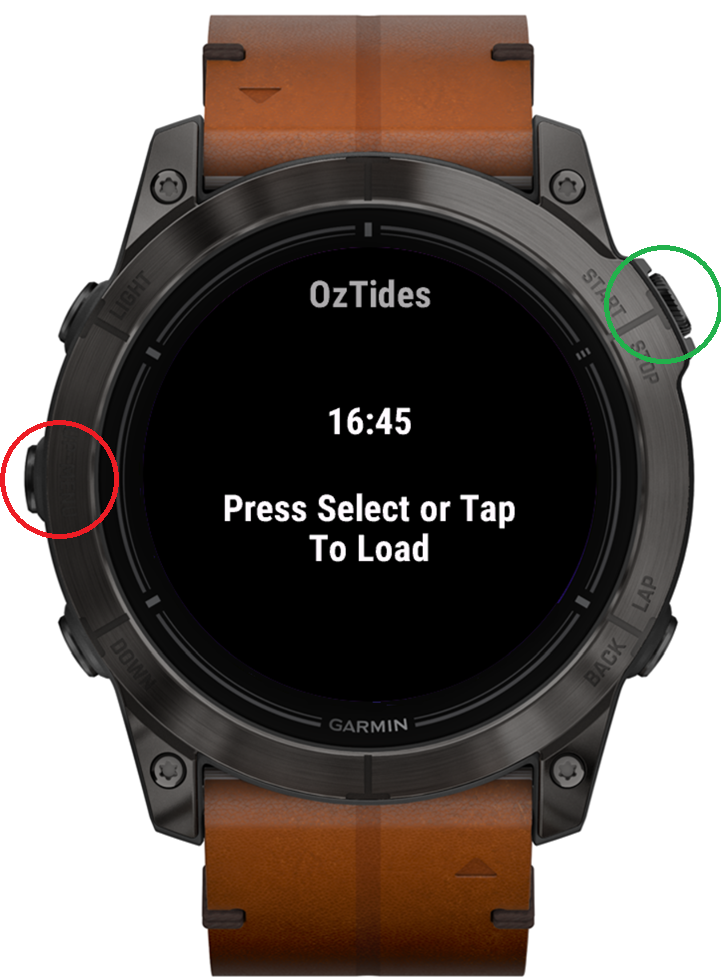
Most watches follow the layout shown below (this example is from an Epix Pro Gen 2). If these controls don’t match your watch or you need more help, visit the Garmin support page here.

Watch buttons

Watch Buttons:
Red = Menu
Green = Select

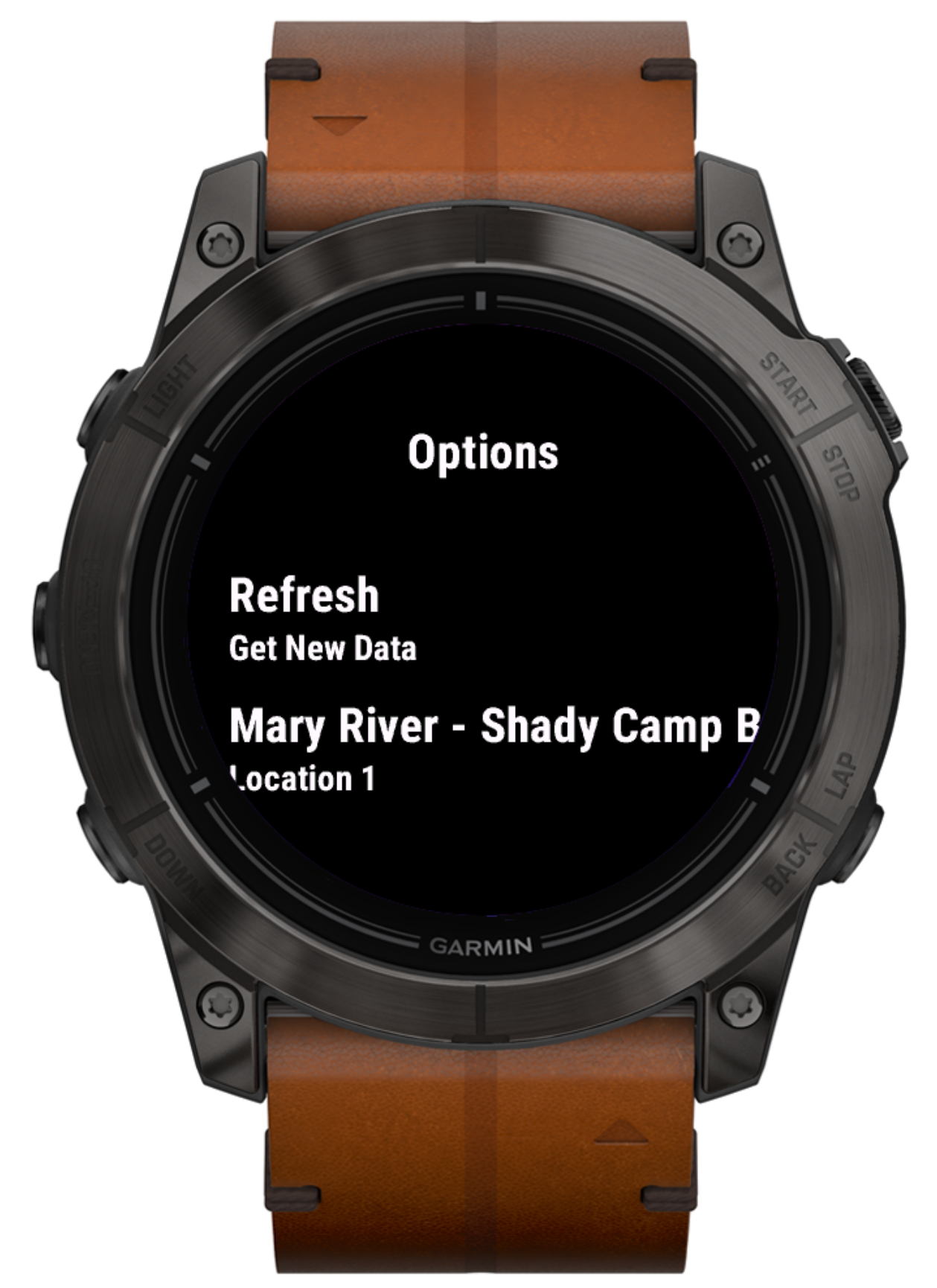
Watch menu

Watch Menu:
Use up/down or scroll with touch to change location.
Select Refresh to fetch new data.
Press Select to confirm.

Help and General Info


Payment
I’ve made the decision to move this app from a free model to a paid one to provide a more seamless and reliable experience for users. I offer a no-holds barred, 24 hour trial of the app during which time you ahave access to all functionality.
This change helps me to address common issues such as obtaining a WillyWeather API key and streamline the overall setup process as I was spending tonnes of time helping people out.

This app uses KiezelPay for payment processing, a well-known service in the Garmin and Fitbit community. It is secure, PCI-compliant and is pretty quick and painless. Certainly less painless than obtaining a WillyWeather API Key.
If you're not keen on using this, please contact me directly and we can work something out.

Graphing
Tides are now graphed in 2 areas:
- Left hand side - time
- Right hand side - tide height

Rule of Twelfths
As of V3.0.0, watches with more screen real estate will now give tidal estimates based on the "Rule of Twelfths". This is exactly as it sounds - an estimate. See Wikipedia: Rule of Twelfths for more info here
- The rule is a rough approximation only and should be applied with great caution when used for navigational purposes. Officially produced tide tables should be used in preference whenever possible.
- The rule assumes that all tides behave in a regular manner, this is not true of some geographical locations.
- The rule assumes that the period between high and low tides is six hours but this is an underestimate and can vary anyway

To Do
- Improve graphs to also reflect estimate tidal speed at a glance
- On start-up, search for today's tide in the cache and display it automatically
- Improve user messaging/error handling to give more information
- Improve screen layout for smaller devices
Requests
Got a sweet idea or think something could be done better? Shoot me a message.